What it does
What Tandem does today
Six jobs, in the order a shop needs them. Where a feature needs a particular plan, it says so. What isn't built yet is listed at the bottom.
Win the work
Catch every lead and turn it into a signed estimate.
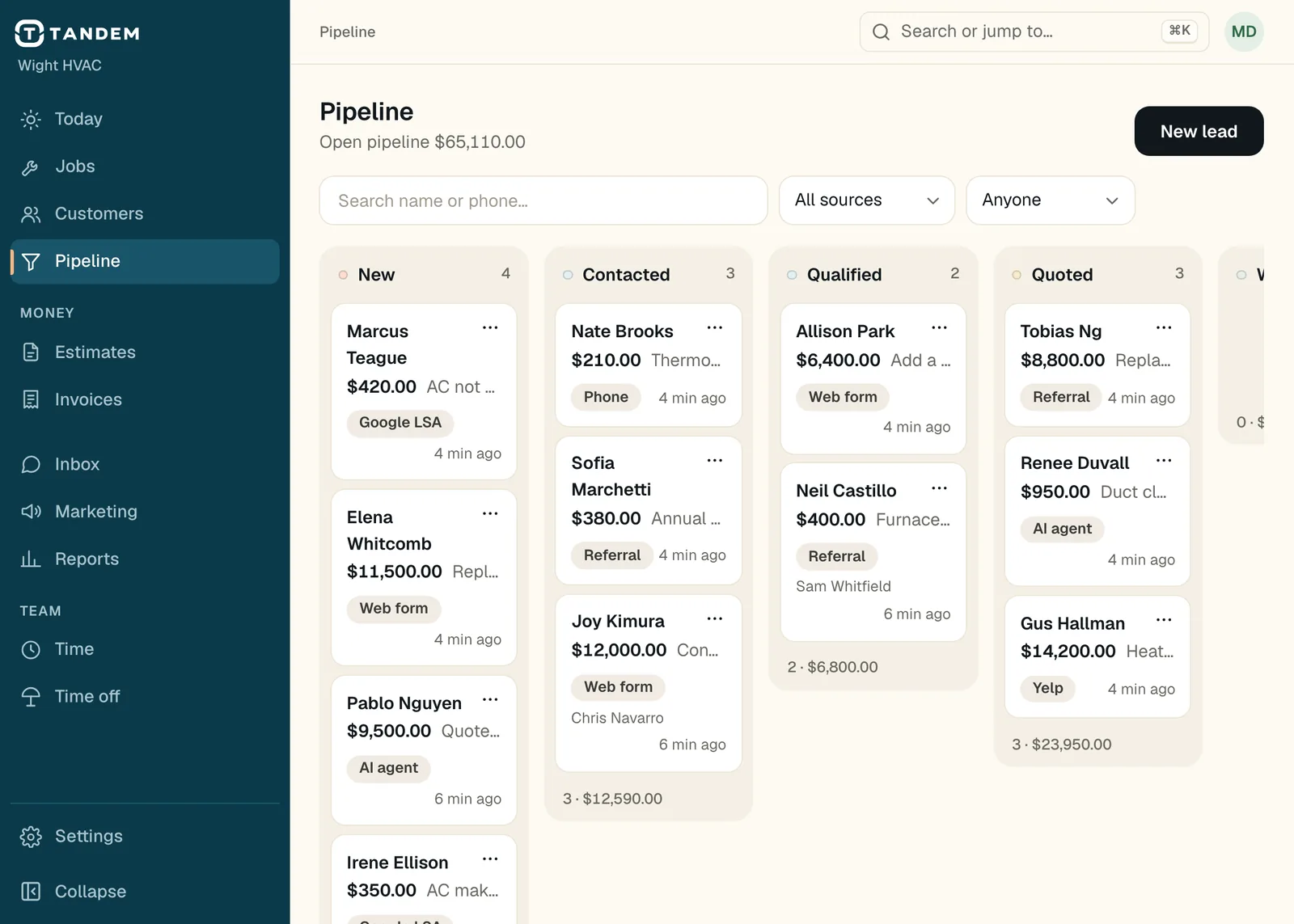
Lead pipeline
Every lead on one drag-and-drop board. Search by name or phone, filter by source and owner. Win one and book the job or draft the estimate in one step.
Intake links
Links for Google LSA, Angi, Thumbtack, Yelp, Nextdoor, web forms and Zapier, with the original details kept on the lead.
Online booking
A booking page with arrival windows and the services you choose, instant or by request.
Your website
A fast business website you edit on the page, up to 5 pages on the Clean template.
Pro website and builder
All six templates, up to 30 pages, up to 3 of your own domains, and a click-to-edit builder with phone and tablet previews.
Bring your customers over
Import customers, your price book and past jobs, estimates, invoices and payments from a Housecall Pro or Jobber CSV export, or any spreadsheet. Every row is checked first. Nothing is texted or charged.
Price books
Services and materials with cost and margin, labor minutes and photos, and starter books for HVAC, plumbing and electrical.
Answer when you can't
Get the call or the text answered, and keep it in one place.
Thanks for calling Wight HVAC. How can I help?
Hi, I need a quote to replace my furnace. It's about 20 years old.
I can get that to the team. What's the best number to reach you, and is the address the one on file?
This number's fine, and yes, same address.
Got it. I've passed your request to the team and someone will call you back today.
Sample call at Wight HVAC (demo data)
Receptionist
Answers calls and texts, looks up the customer, answers questions about their appointment or invoice, books open times, logs leads and hands the call to your office when a person should take it. English only. It can't change prices, write estimates or invoices, take payments or refund.
Business phone line
One number your office and staff browsers ring through, with voicemail, call history and optional recording with a spoken notice.
Two-way texting
Text customers from the office and keep every conversation in the Inbox. STOP and START are handled for you.
The Inbox
Calls, transcripts and texts together, with what the receptionist did on each.
Run the day
The right tech at the right job, with the whole schedule in front of you.
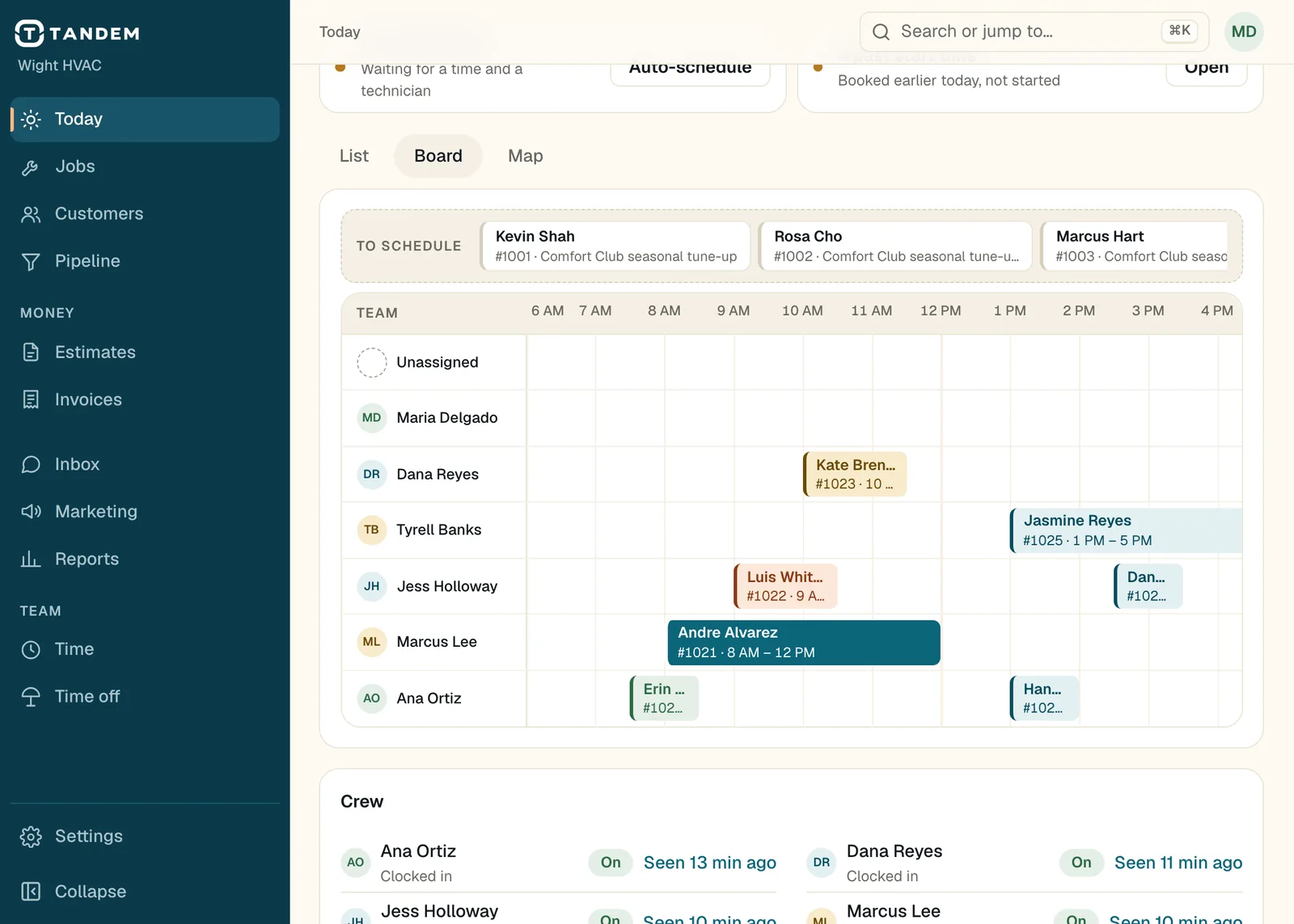
Drag-and-drop board
A live dispatch board. Drag to reschedule or reassign, drop from the unscheduled tray, and get a warning that names any double booking.
Auto-schedule
Places unscheduled jobs with the best tech and time by required skills, drive time, workload and due dates, and says why.
Recurring and multi-day jobs
Weekly, monthly or yearly jobs, visits spread over several days, and crews of several techs on one job.
The tech app
Each tech's own jobs, clock in and breaks, photos, checklists, estimates and payments. With no signal it saves what they do and sends it when they're back online.
Checklists and job forms
Fields for photos and signatures, added by tag or price book item, and able to block finishing a job until they're done.
Time and payroll
Drive and job time from job status, timesheet approvals, overtime and a payroll CSV.
Keep customers coming back
Tell them you're coming. Follow up without doing it by hand.
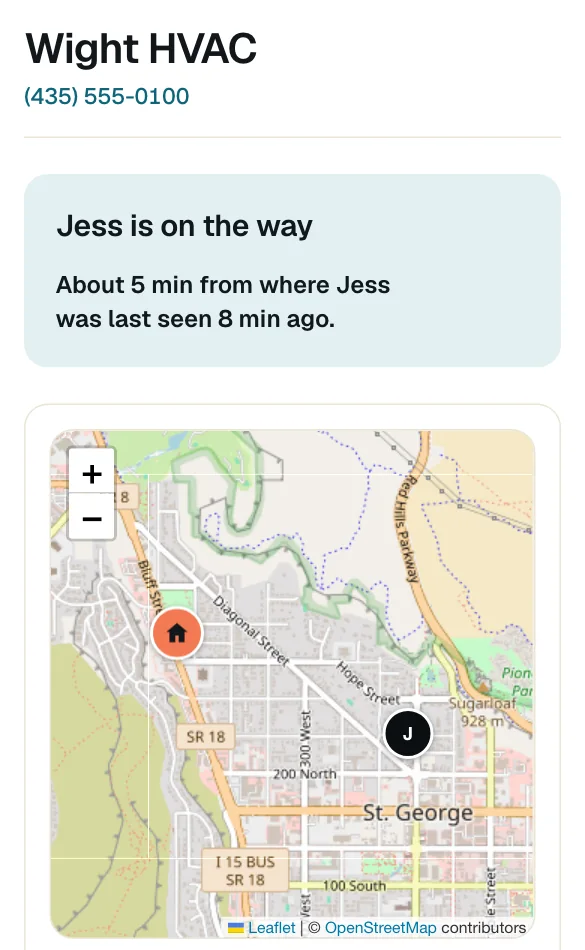
On-my-way texts
When your tech heads out, the customer gets a text with an arrival time and a live map. Confirmations, day-before reminders and reschedule notices go out on their own.
Customer portal
Customers approve and sign estimates, pay invoices, and move or cancel visits from a link. No app to install.
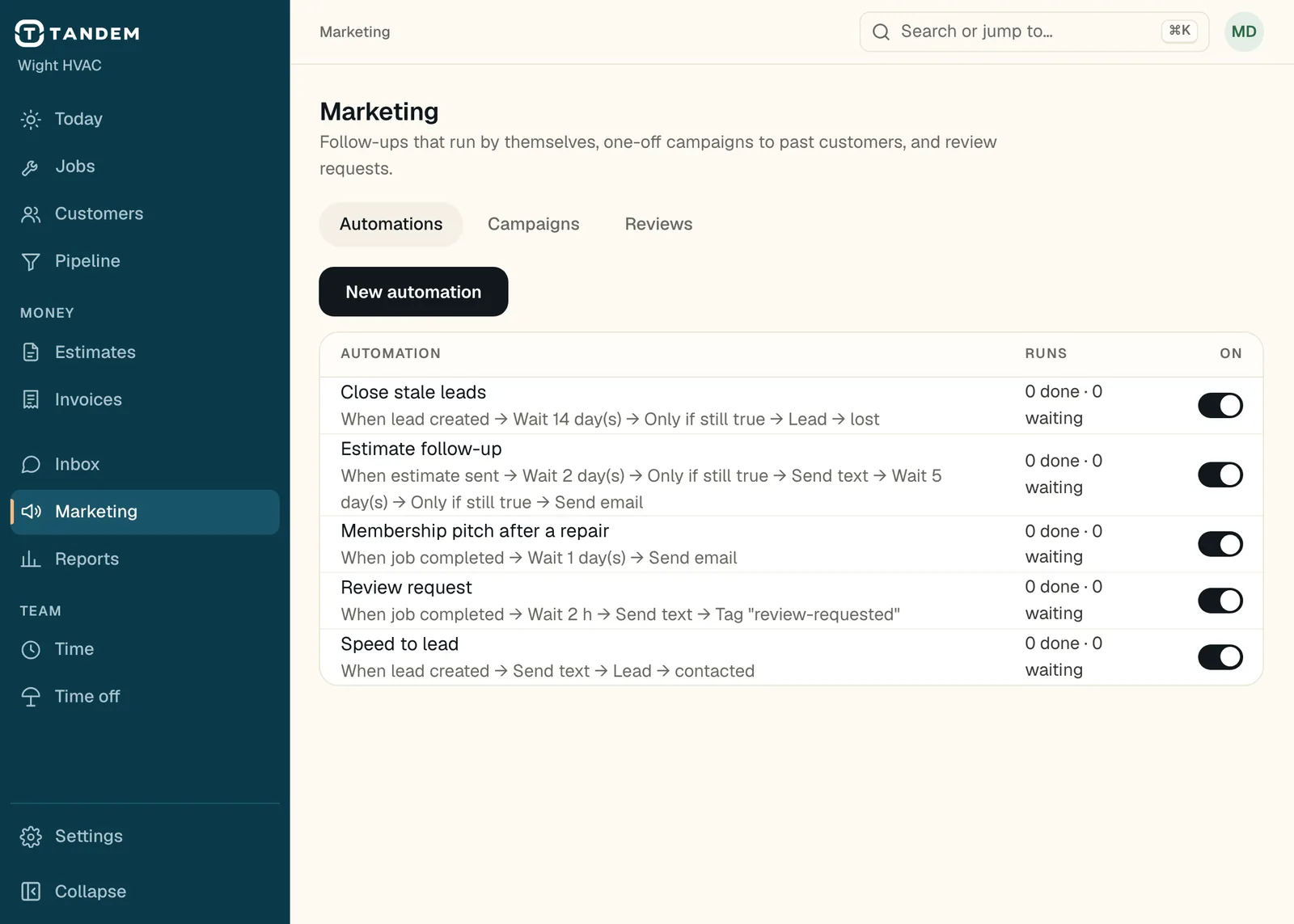
Automations
Estimate follow-up, review requests, speed to lead, and your own: triggers, waits, checks and messages. You choose which run.
Campaigns and postcards
Text, email and printed postcards to the customers you pick, with deliveries, replies and bookings per campaign.
Memberships
Service plans that bill on start and renewal, give member discounts and create the maintenance visits.
Get paid
Quote it, sign it, bill it, collect it.
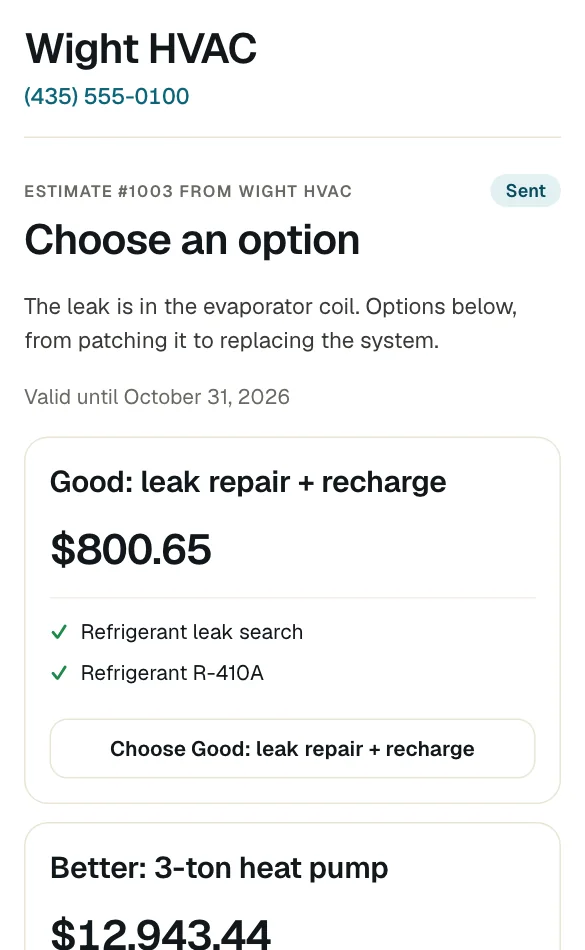
Good, better, best estimates
Options priced from your price book, a discount in dollars or percent, a deposit, and a signature on the customer's phone or the tech's. Follow-ups stop once the customer answers.
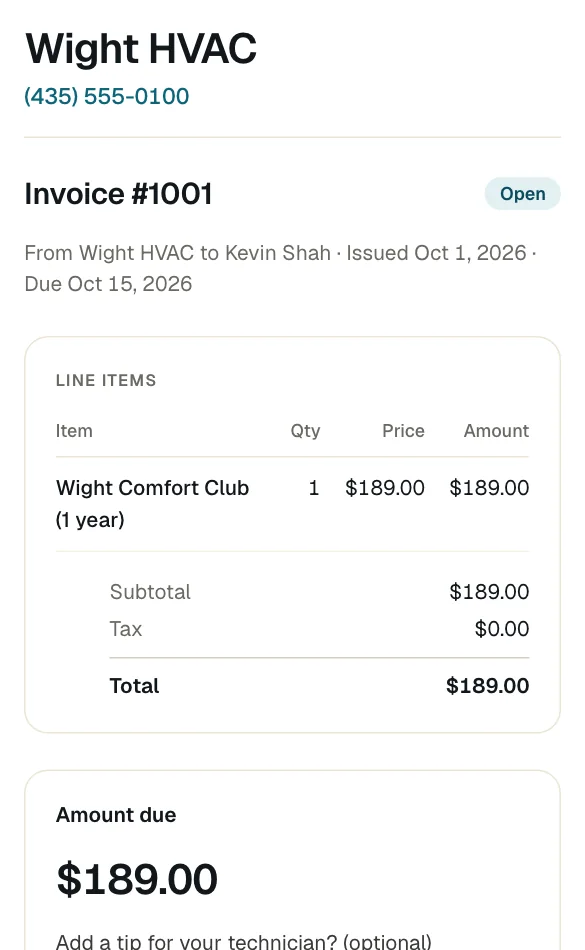
Invoicing
Invoices from the job, progress billing, batch invoicing, discounts and overdue reminders on the days you choose.
Card and bank payments
Customers pay by card or bank transfer from a link, with tips and receipts, and you can record cash and checks. Payments run through Stripe and payouts go to your bank. Stripe's card fees apply. Tandem adds no fee.
Text a pay link
Send the pay link by text from the tech app, right at the job.
See it and stay in control
Know the numbers. Decide who can do what.
- Looks at your real schedule and books the visit.
- Saves what the caller needs on the pipeline.
- Only the caller's own visit.
- Never. Only people on your team can.
- Never. Only people on your team can.
Try the switches. Nothing here is saved.
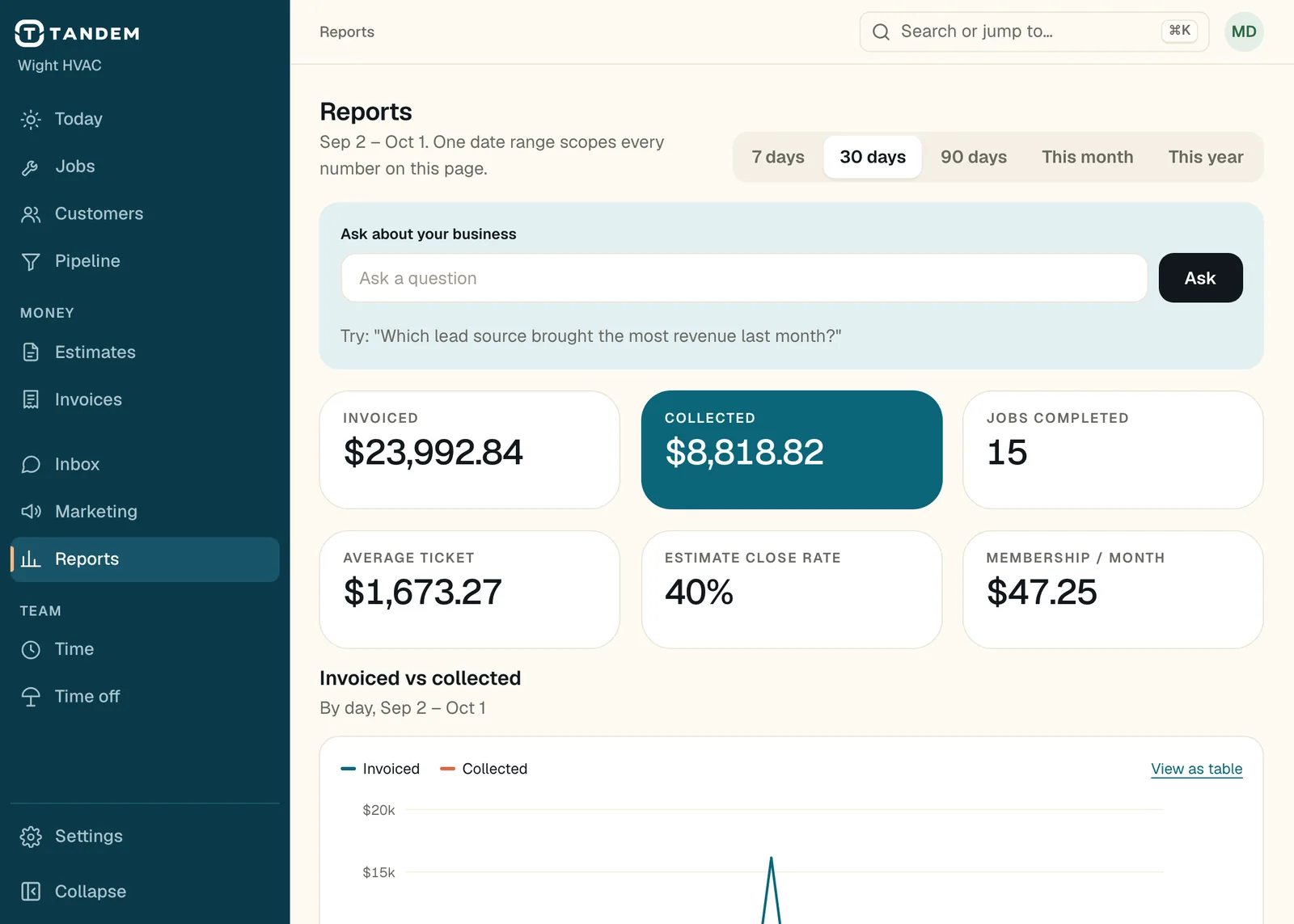
Reports
Invoiced against collected, average ticket, close rate, lead-source return, receivables aging and membership revenue.
Ask about your business
Type a question and get an answer from your live data. It reads only; it can't change anything.
Roles and permissions
Owner, admin, dispatcher, office and technician roles, or build your own and pick each permission. Technicians see only their own jobs.
Sign-in you control
Two-step sign-in, which owners can require for everyone, and sessions you can see and end.
Activity trail
Every change records who made it.
More than one location
Branches with their own team, schedule and customers, and reports across them.
API, webhooks and AI apps
REST and GraphQL APIs with your own keys, signed webhooks, Claude and ChatGPT connected over MCP, and a full data export.
What Tandem doesn't do yet
Consumer financing. Reserve with Google. Tap to Pay on the phone. A QuickBooks sync. Spanish screens or Spanish calls. Moving your existing phone number in from inside the app. Google reviews shown on your website. Approval cards and an undo button for what the receptionist does. We'd rather you hear it here than find out on a job.